If you run a business, you already know this feeling.
You need a flyer, or a promo graphic, or something quick for social media. You open Canva, thinking it'll take five minutes… but thirty minutes later, you're still adjusting fonts and spacing.
That's the problem.
We understand that most business owners don't need more design tools, they need finished, professional graphic designs, fast.
Why Canva's AI Still Slows You Down
Canva added AI, but the workflow didn't really change.
You still have to:
- Pick from multiple layouts
- Resize text that doesn't quite fit
- Decide which font looks "professional"
- Make sure it doesn't look like every other Canva post online
- Get stuck with a design that screams AI and can chase away customers
What Business Owners Actually Want
But as a business owner looking for an AI graphic design tool, here's what you should be looking out for:
- "Can I use this right away?"
- "Will this look professional?"
- "Will customers take my business seriously?"
That's it.
Meet AIFlyer: Describe. Design. Done.
AIFlyer was built for business owners who just want things done.
Instead of templates and hours spent on drag-and-drop, you simply describe what you need.
Example:
"Create a flyer for my salon offering 20% off first-time clients. Clean and modern."
AIFlyer turns that into a ready-to-use design in minutes. See sample below:
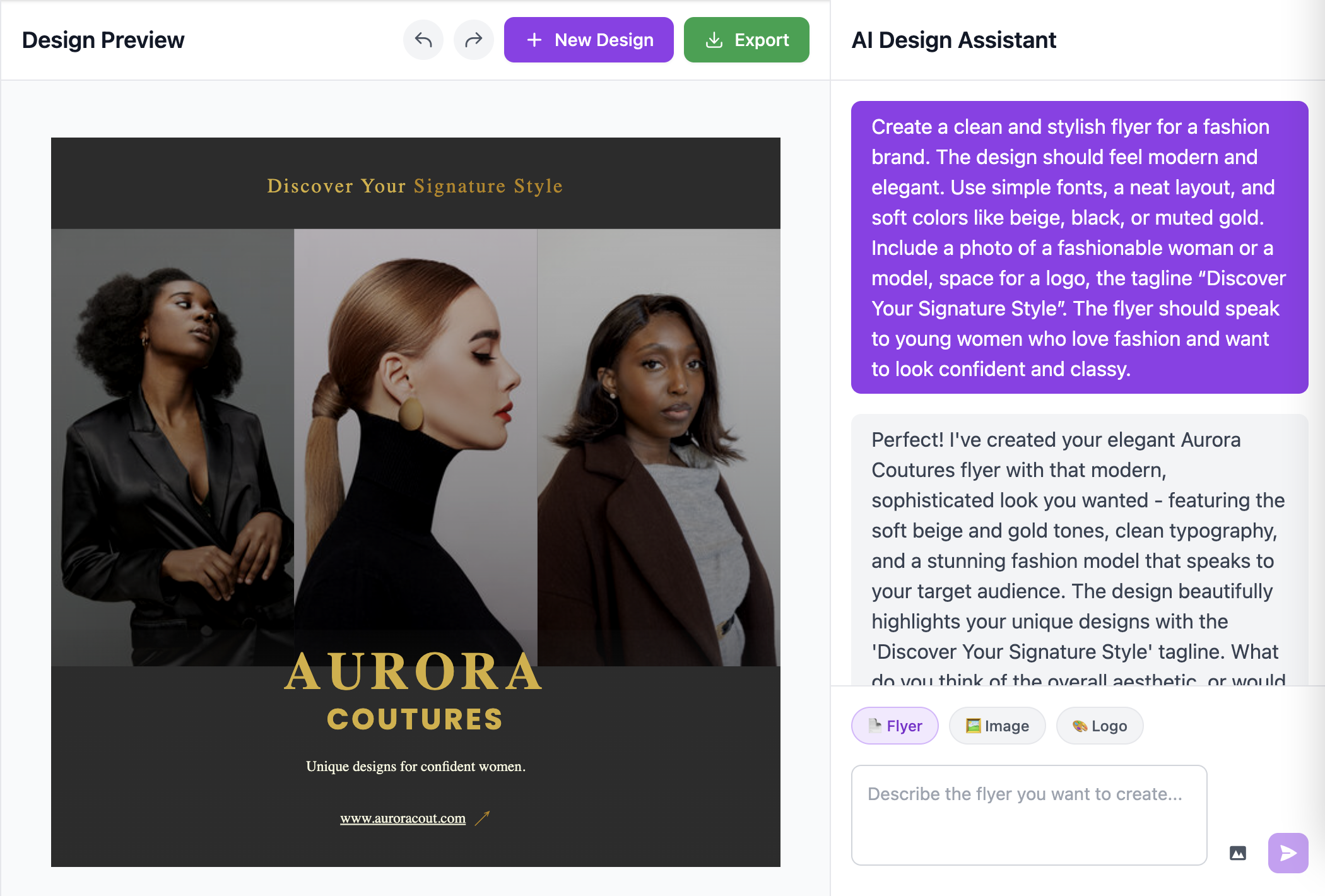
How AIFlyer Beats Canva's AI Magic Tool
1. You Don't Design, You Approve
With Canva, you're still building.
With AIFlyer, you're reviewing a finished result.
That shift alone saves serious time.
2. It Doesn't Look Like AI
Canva designs often have that AI look that everyone can tell at a first glance.
AIFlyer creates layouts that feel original, clean, and professional, the kind you'd expect from an actual graphic designer.
3. Built for Real Business Marketing
AIFlyer focuses on what businesses actually need:
- Flyers
- Posters
- Promotions
- Ads
- Social posts
4. Faster From Start to Finish
Most business owners can create something usable in minutes, not half an hour. To edit, you simply need to send a message. That's all it takes.
Why This Matters More Than You Think
Your design is often the first impression customers get.
If it looks rushed or generic, people assume the same about your business, even if that's not true.
AIFlyer helps you show up looking:
- Professional
- Consistent
- Put together
Without hiring a designer or learning design software.
What Business Owners Use AIFlyer For
- Grand opening flyers
- Weekly promotions
- Event announcements
- Social media ads
- Local business marketing
Basically, all the things you know you should be posting more often.
If You're Deciding Between Canva and AIFlyer
Use Canva if:
- You enjoy designing
- You like tweaking layouts
- You have time to experiment
- You don't mind your customers seeing an AI like design
Use AIFlyer if:
- You want it done quickly
- You want it to look professional
- You don't want to think about design at all
Final Thought
Running a business is already hard enough. Your design tool shouldn't feel like another job.
If you want clean, professional marketing graphics without spending your evenings fixing fonts, AIFlyer was built for you.
👉 Try AIFlyer and create your next marketing design in minutes.